Espresso FlowCon app icon Available on iOS

Dial In Your Perfect Shot.

Espresso FlowCon gives you carefully researched brewing parameters based on your coffee's roast level or Agtron value — so you stop guessing and start pulling better espresso.

Download on the App Store

Free to download — Premium upgrade available

What You Get

Built for the Serious Coffee Lover

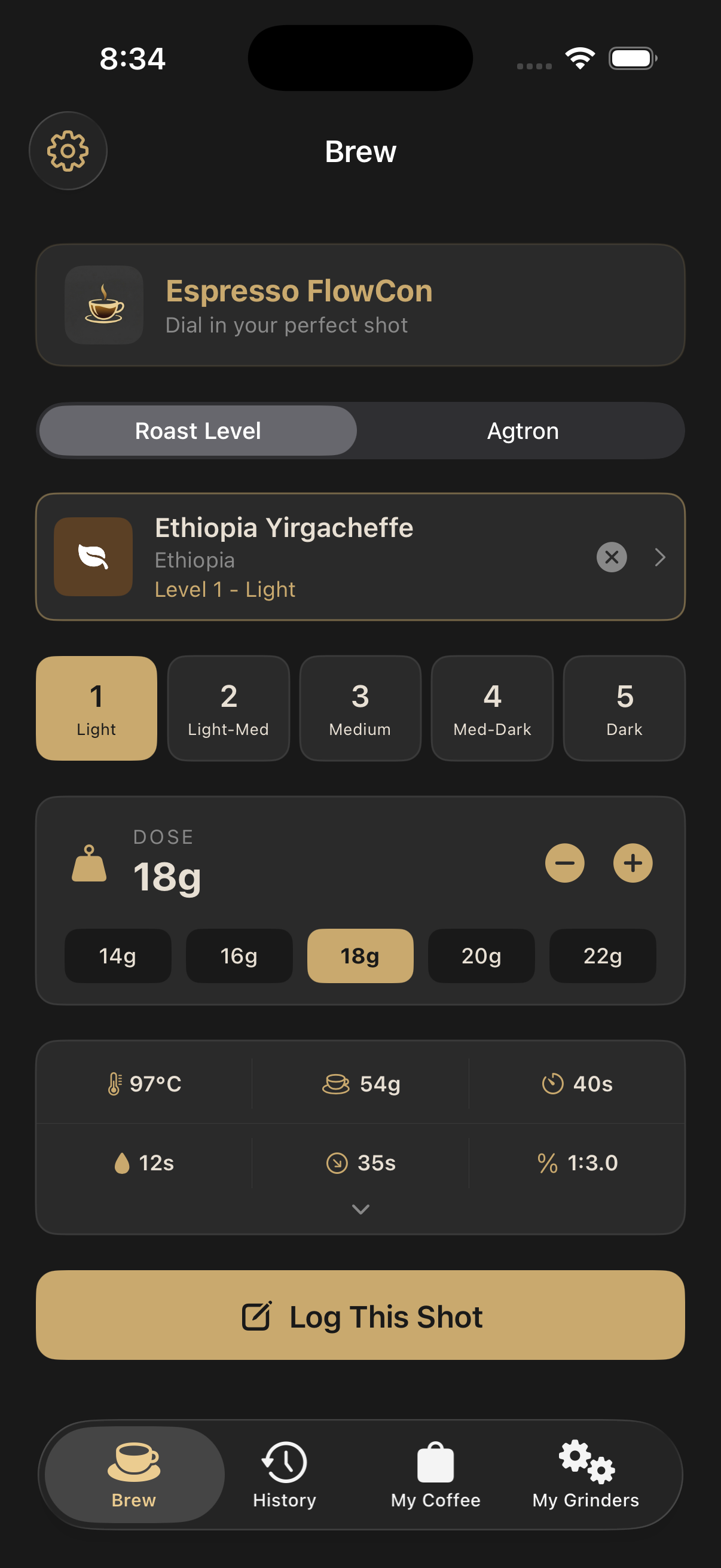
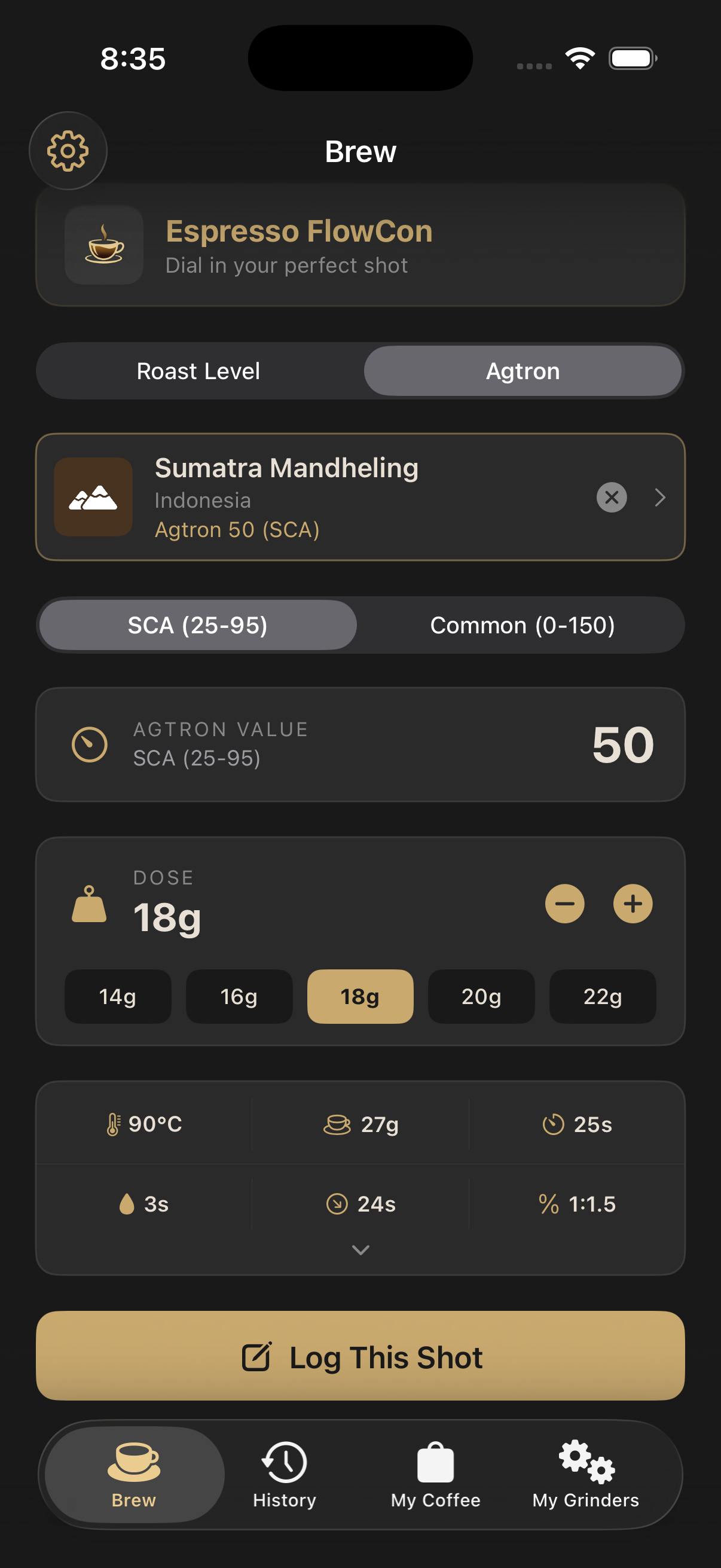
Roast level lookup screen Agtron lookup screen

Instant Brew Parameters

Pick how you want to dial in — by roast level or by Agtron — and get full recommended parameters in one tap.

  • Roast-level lookup with five profiles from Light to Dark
  • Agtron lookup on both SCA and Common scales for precision
Learn how →
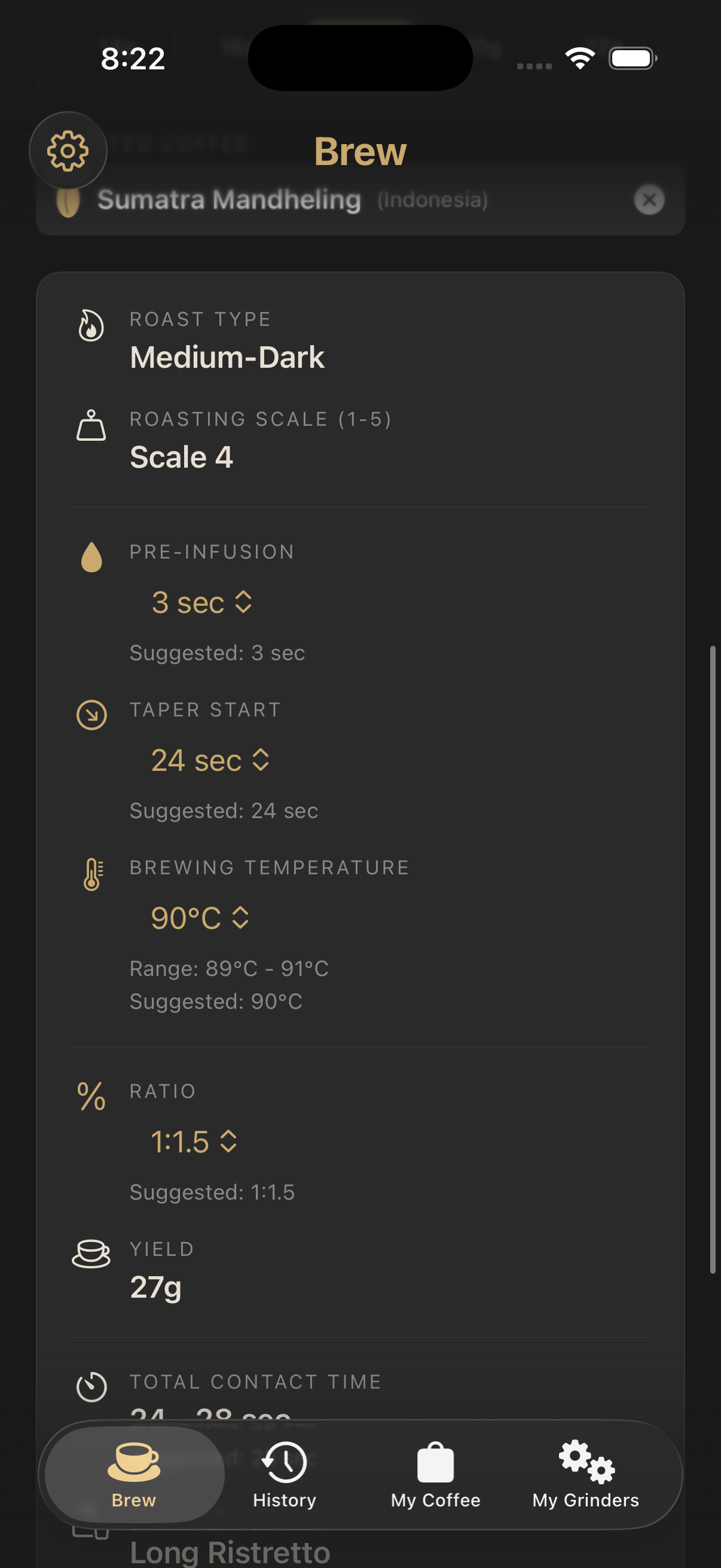
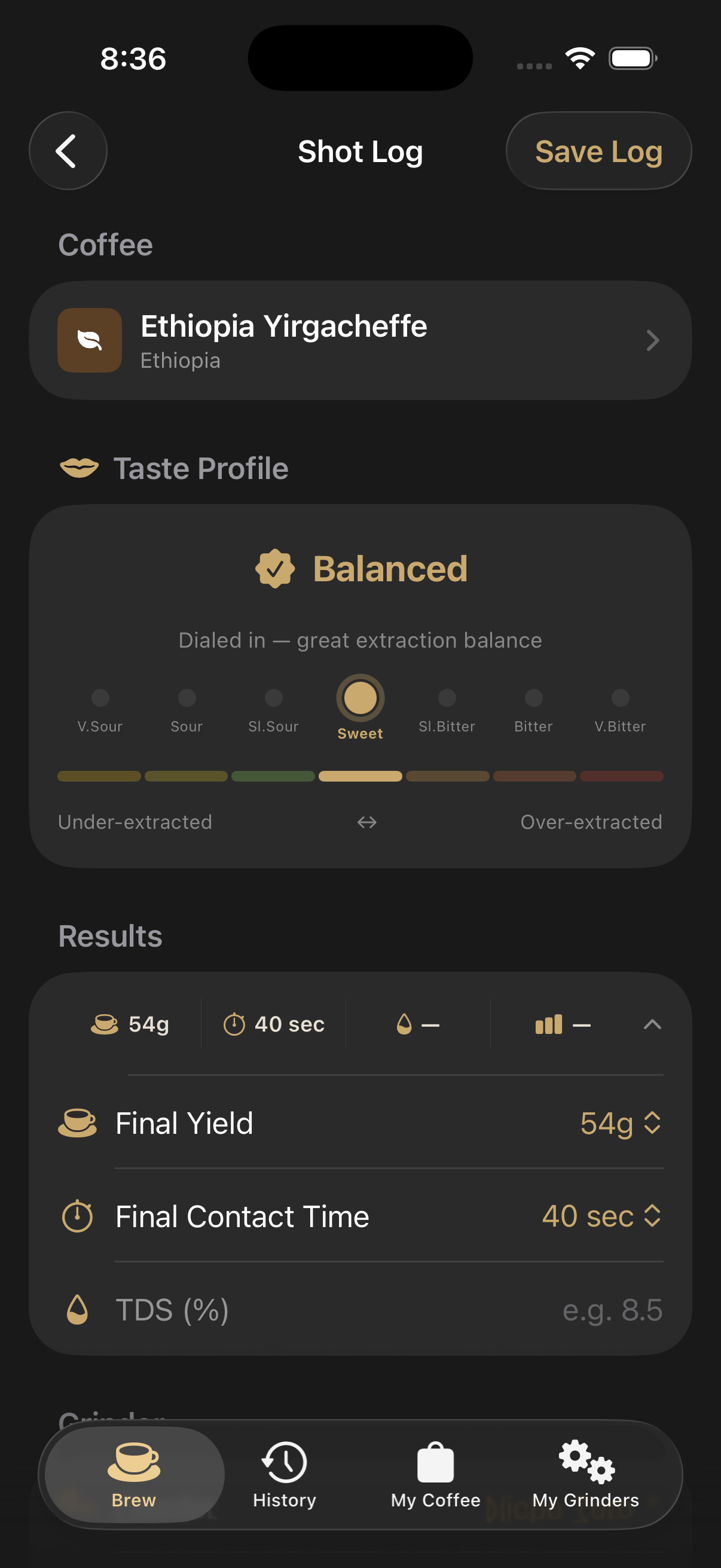
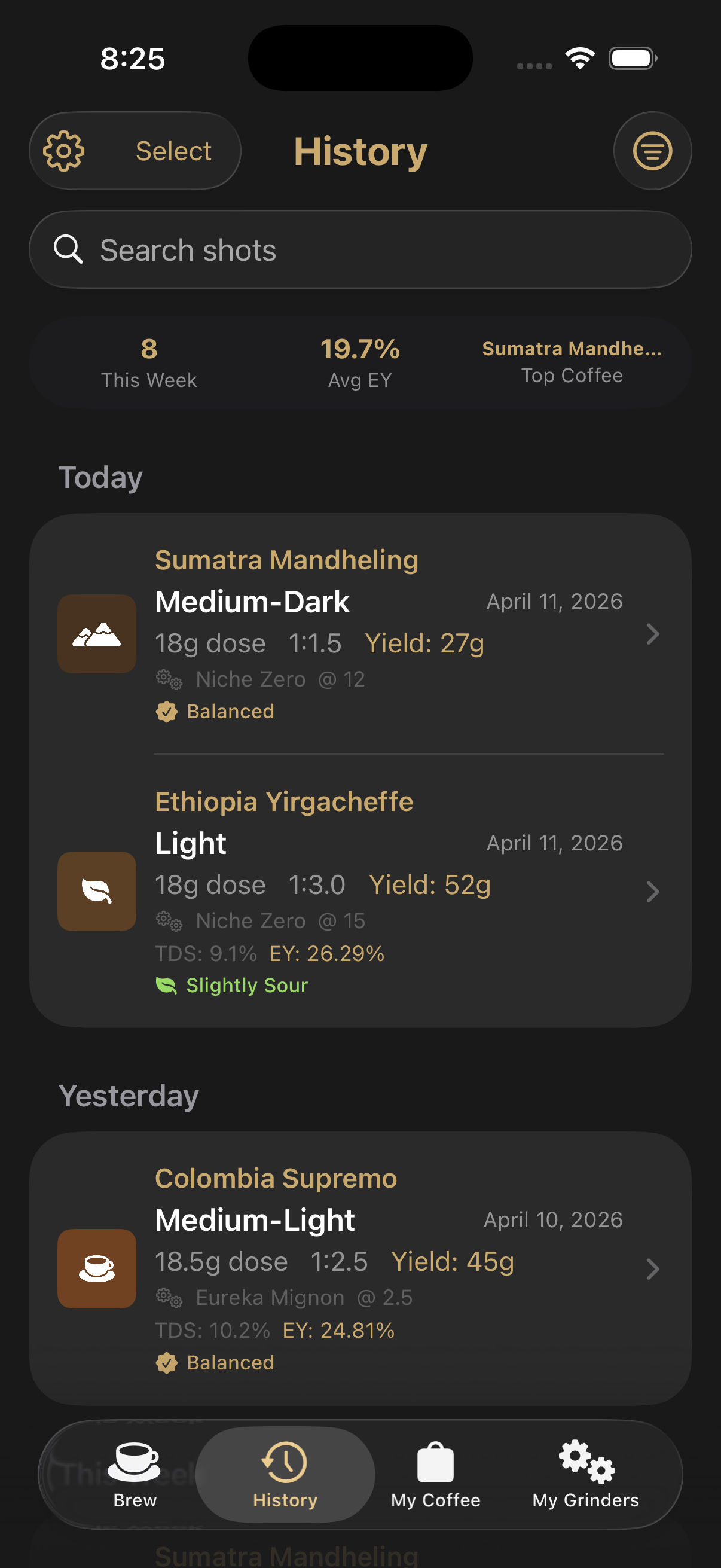
Expanded brew parameters Logging a shot with taste profile Shot history with stats

Shot Logging & History

Capture every pull from setup to review and build a searchable record of what worked.

  • Expand the results card to fine-tune pre-infusion, taper, temperature and ratio
  • Log TDS from your refractometer and get extraction yield calculated automatically
  • Rate each shot on a sour-to-bitter taste profile with tasting notes
  • Browse full history with stats, search, date filters and CSV export
Learn how →
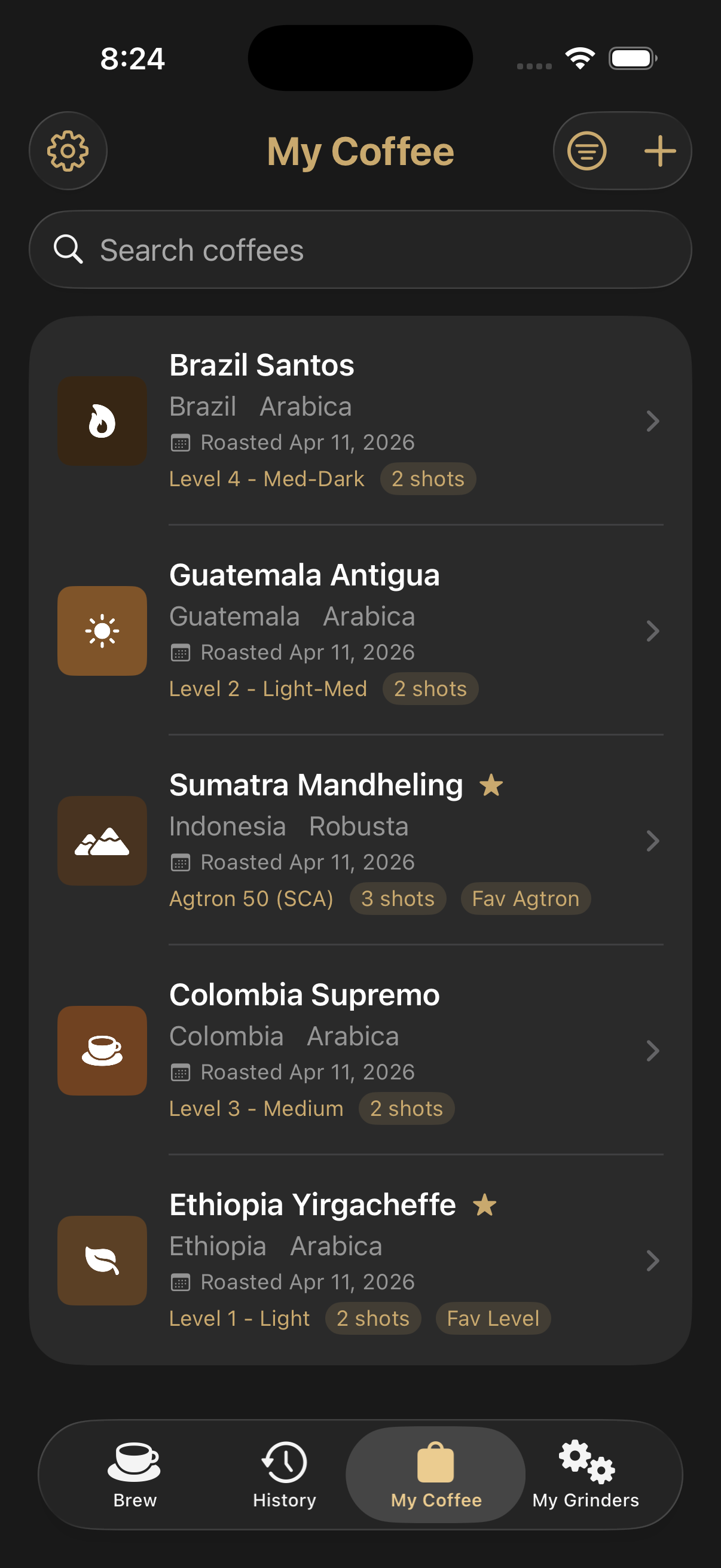
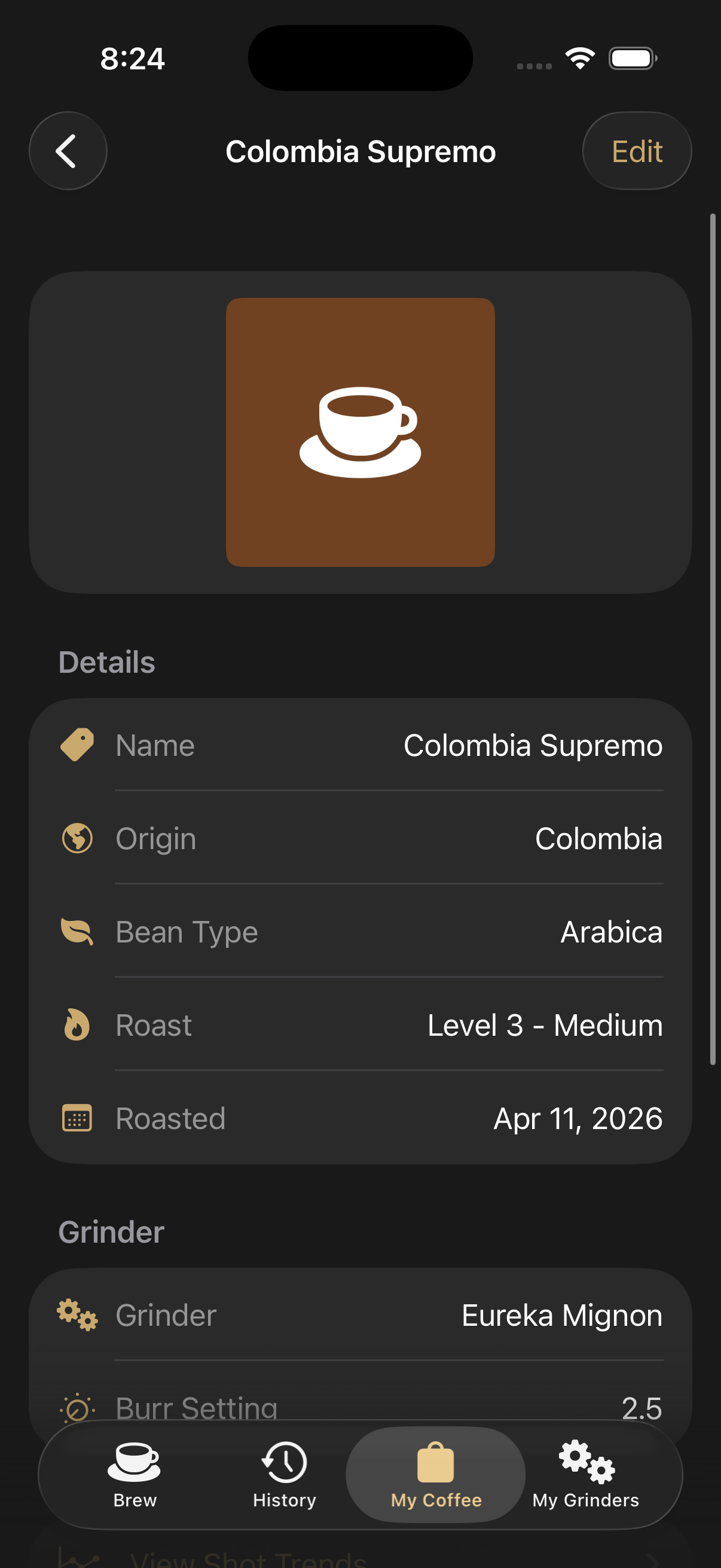
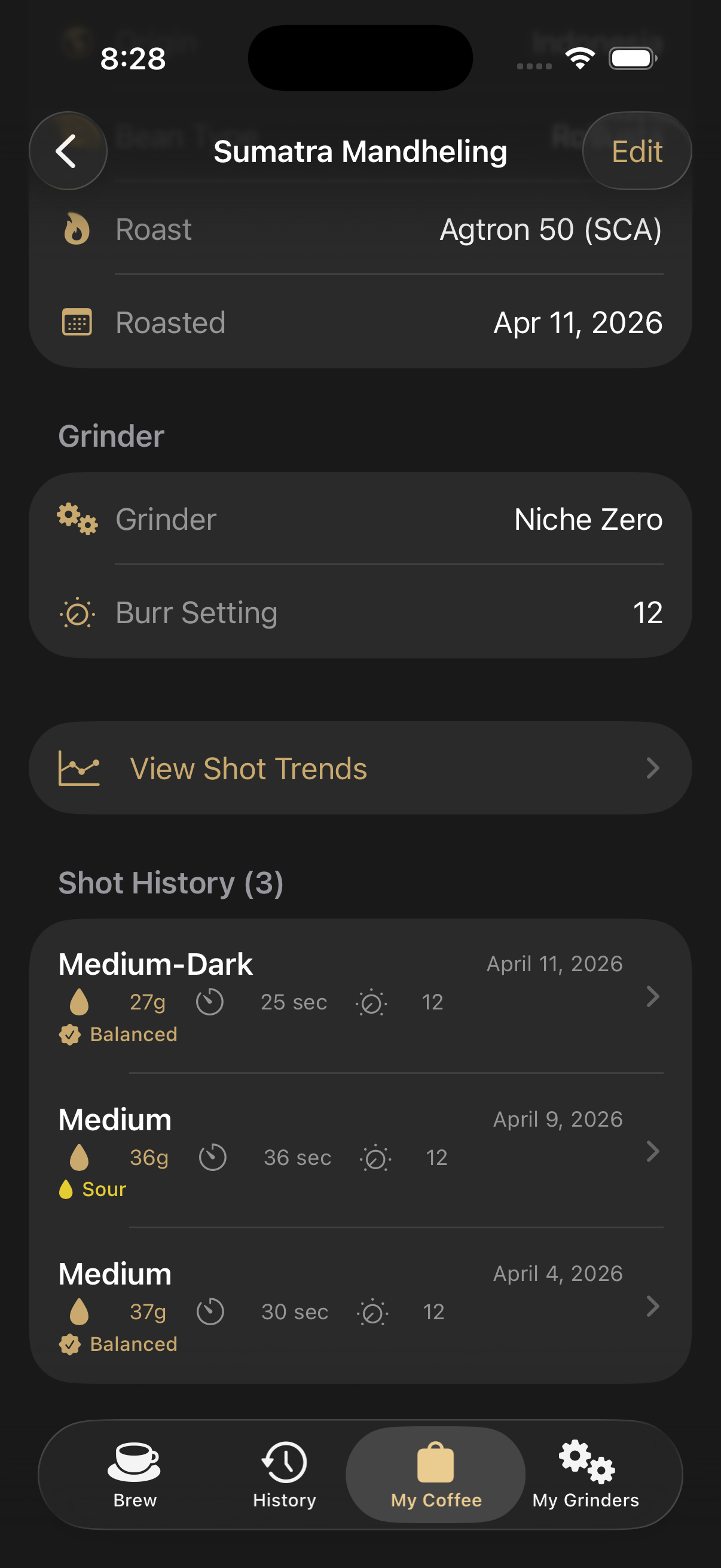
Coffee collection list Coffee bag details Shots pulled with this coffee

Your Coffee Library

Keep every bag organized with the data and photos you need to find the right coffee fast.

  • Browse your coffee collection with cover photos at a glance
  • Open a bag to see origin, roast data, default grinder and notes
  • See every shot you've pulled with that specific coffee
Learn how →
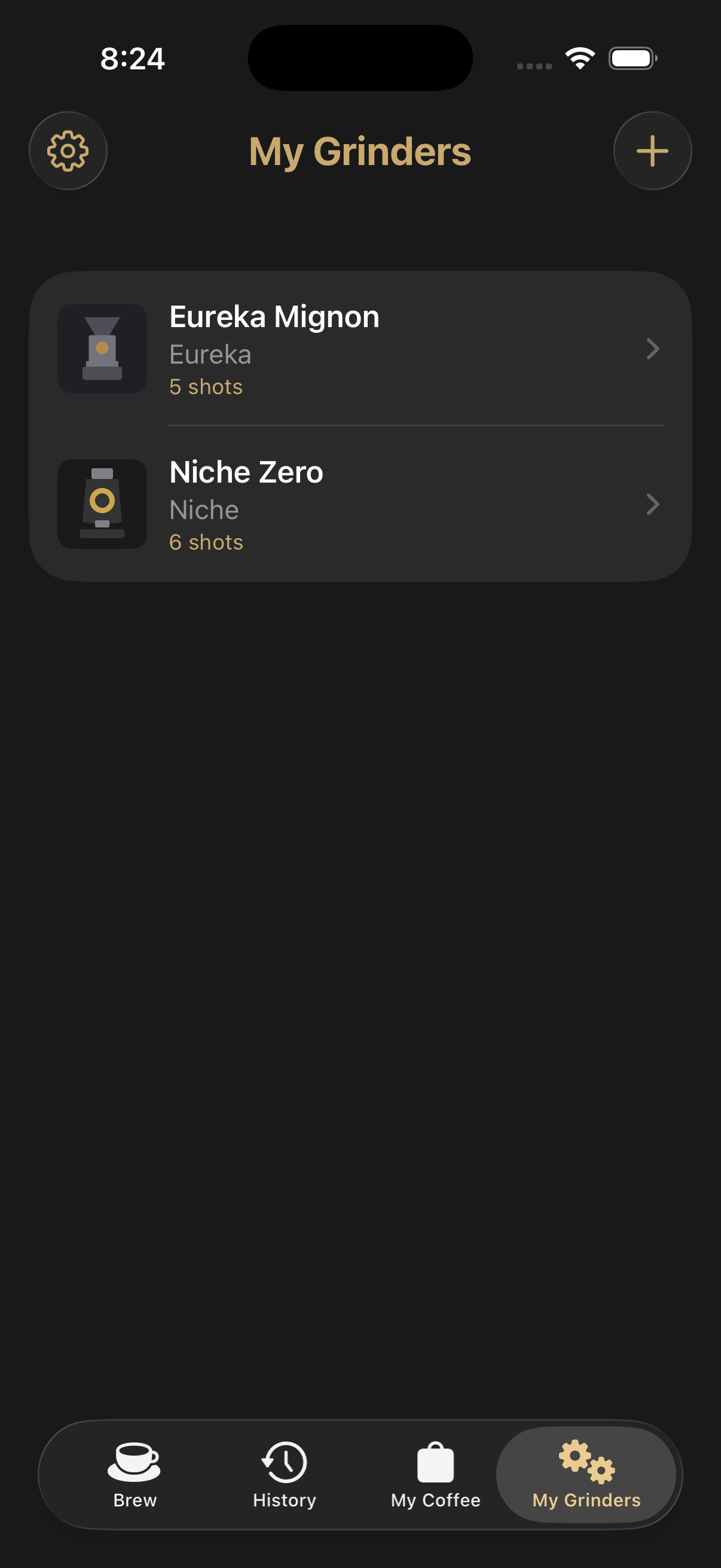
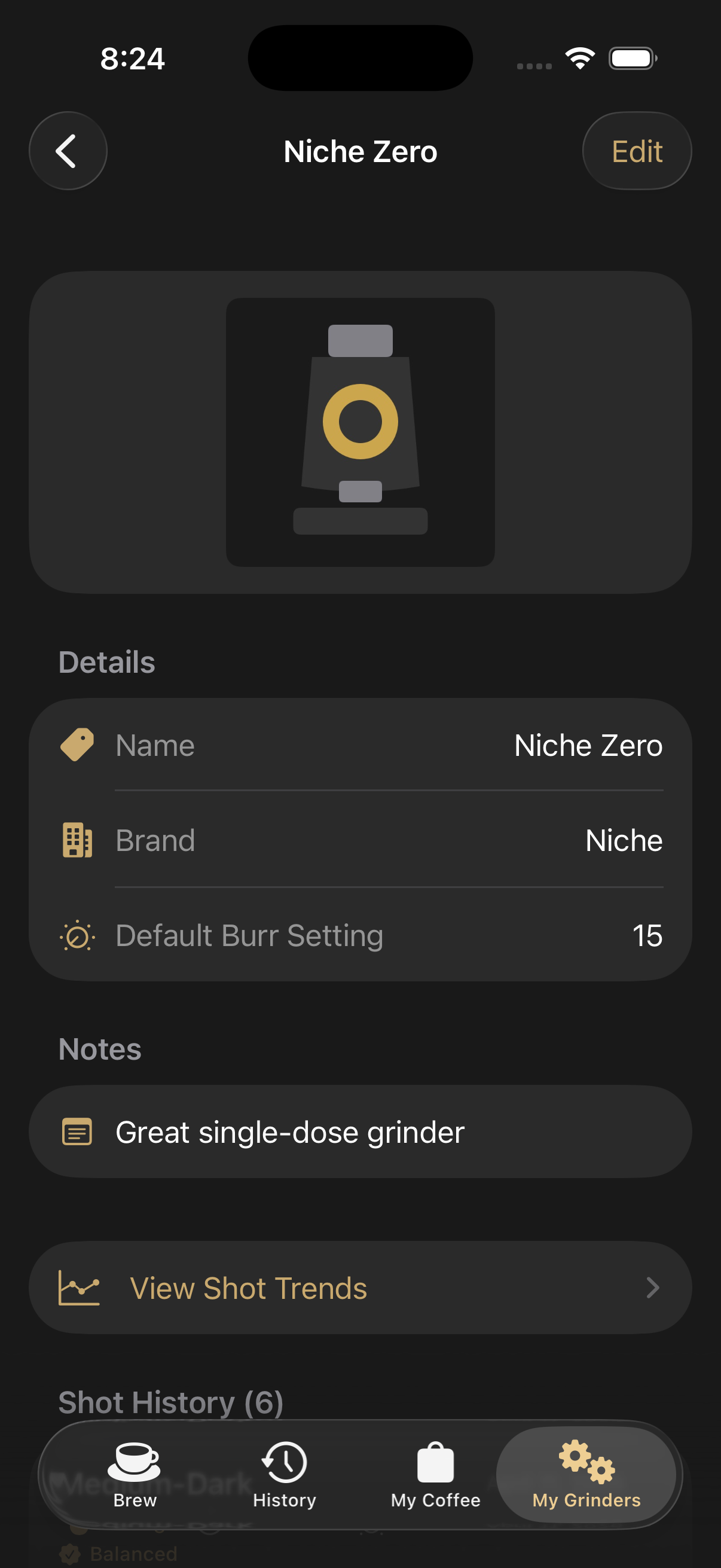
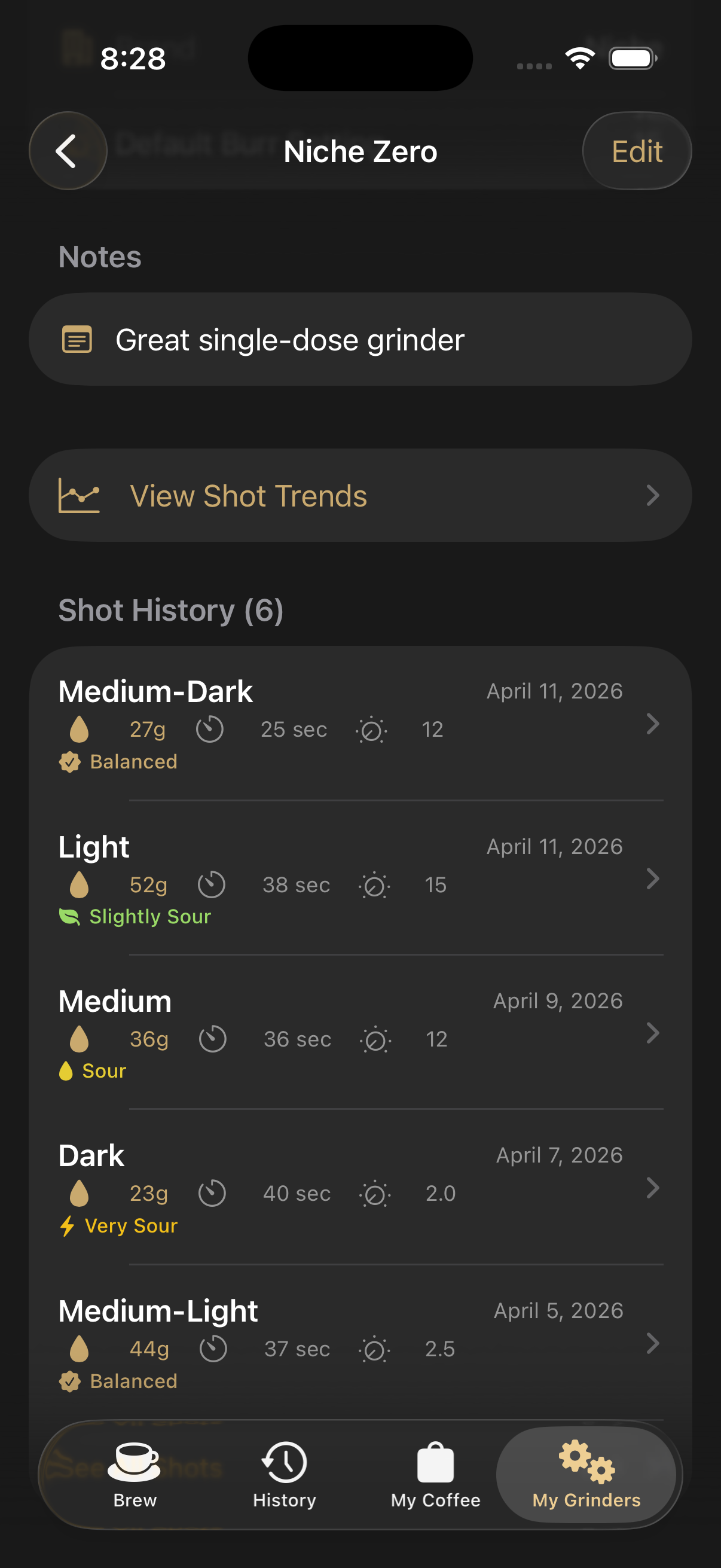
Grinder list Grinder details Shots pulled on this grinder

Your Grinder Library

Track each grinder you use and see exactly how it performs across every shot.

  • Manage multiple grinders in one tidy list
  • Save brand, default burr setting and notes per machine
  • Pull up every shot logged on a given grinder, with burr setting recorded on each
Learn how →
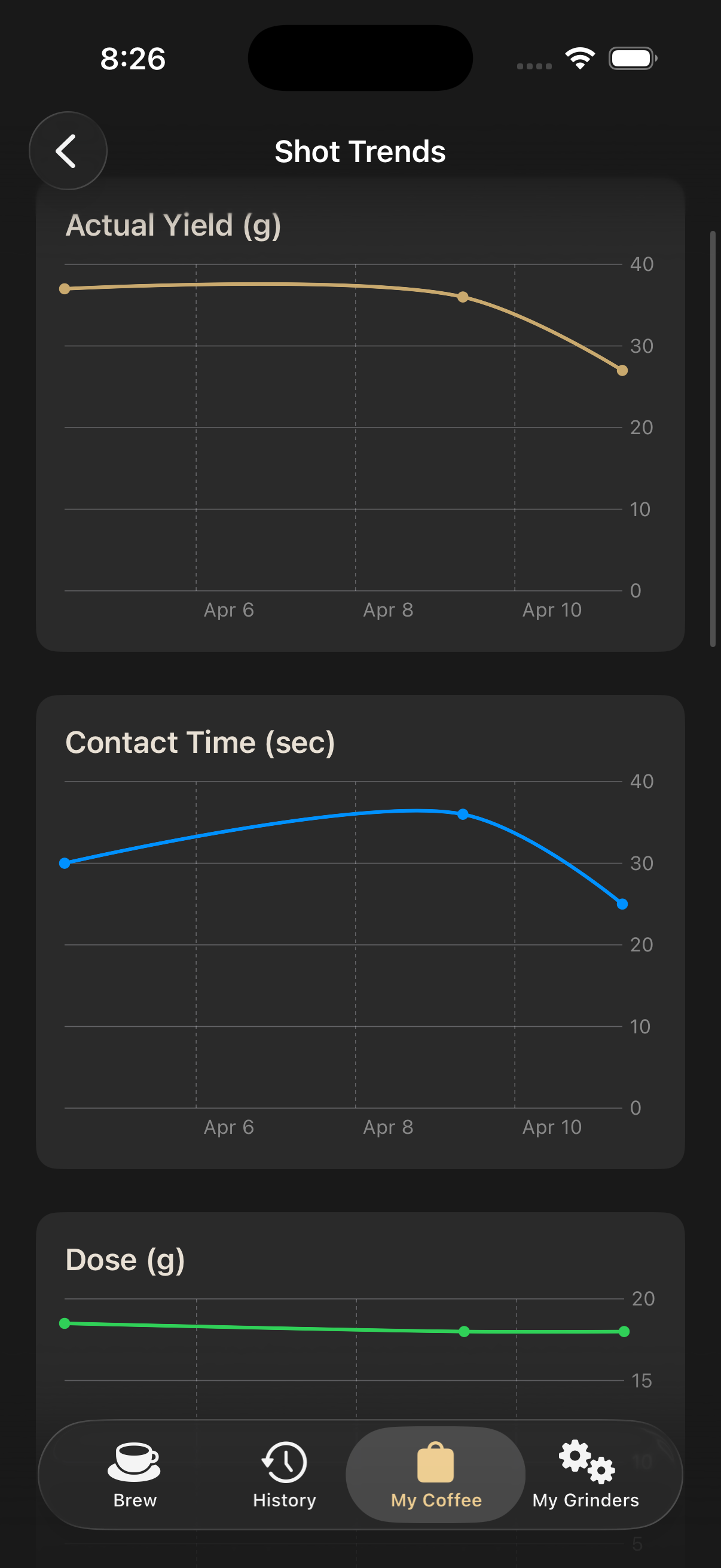
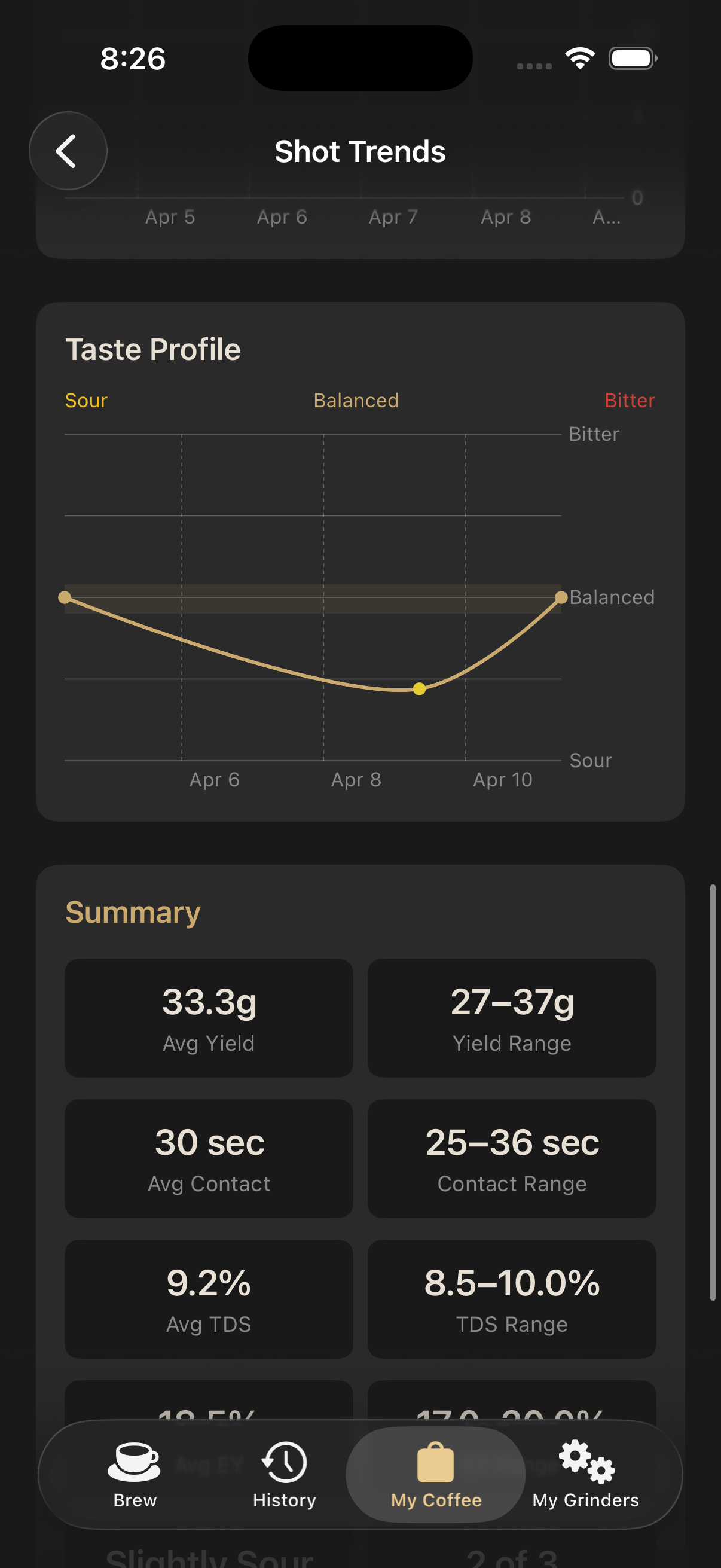
Shot trend chart Shot trend statistics

Shot Trends & Stats

Turn your history into charts that reveal what's actually changing from shot to shot.

  • Chart yield, contact time, dose, TDS, EY% and taste profile over time
  • Read summary averages, ranges and totals to spot patterns at a glance
Learn how →
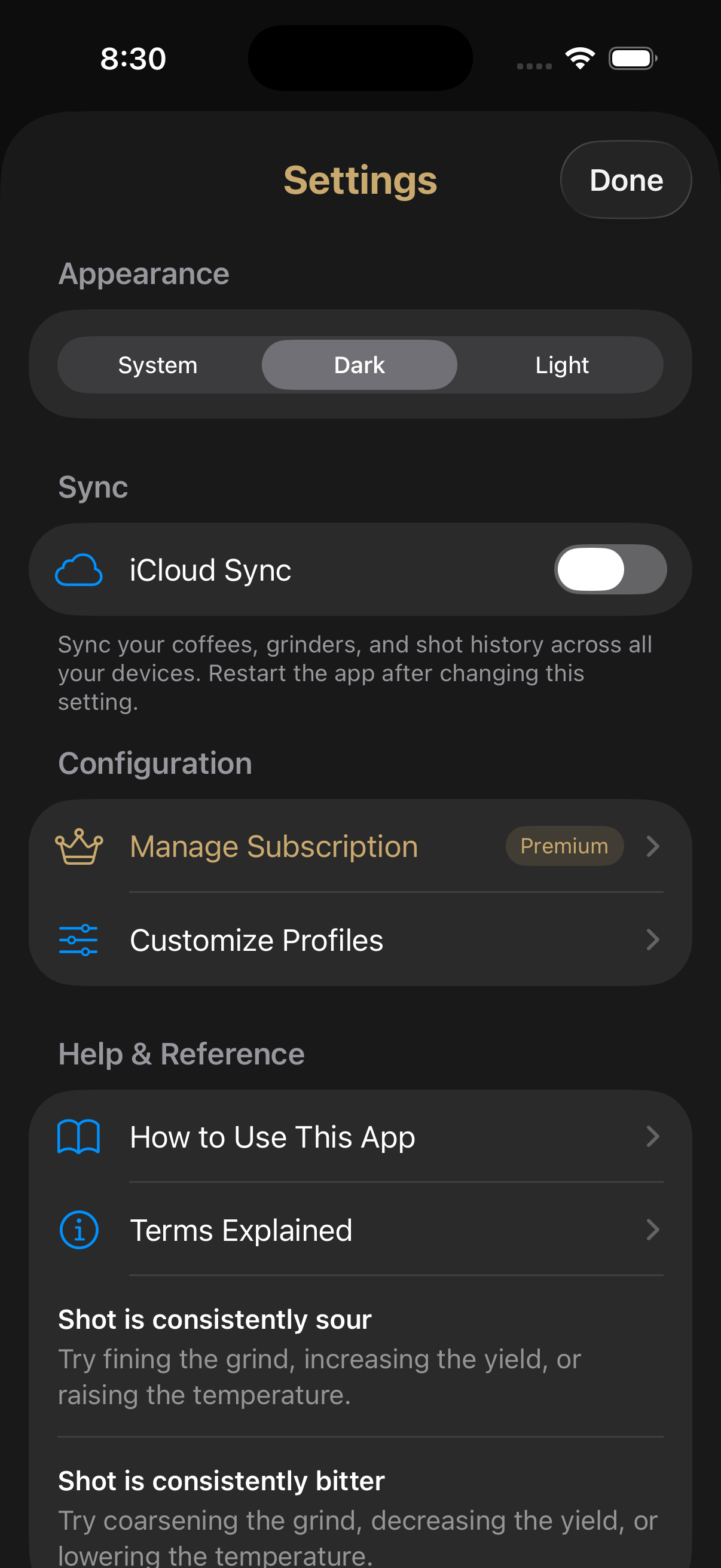
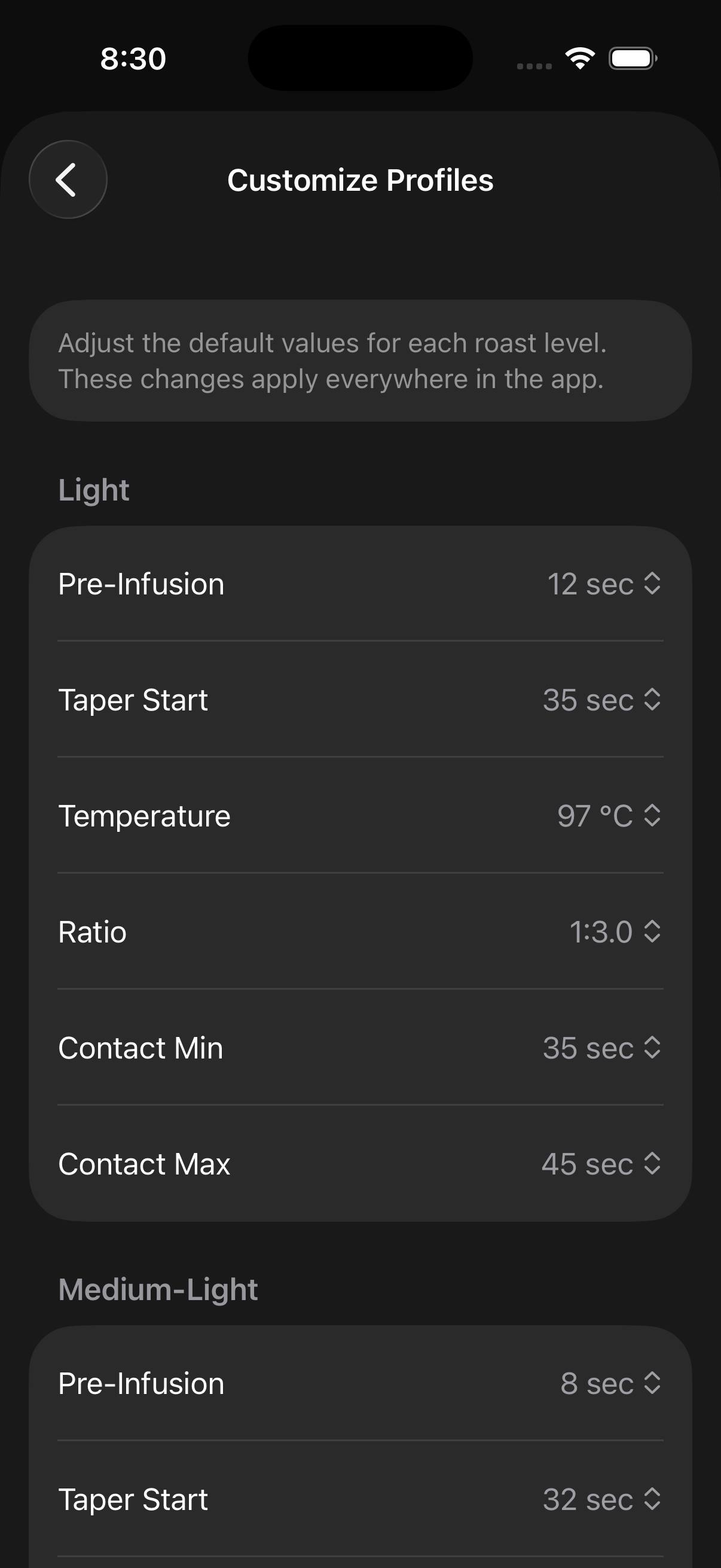
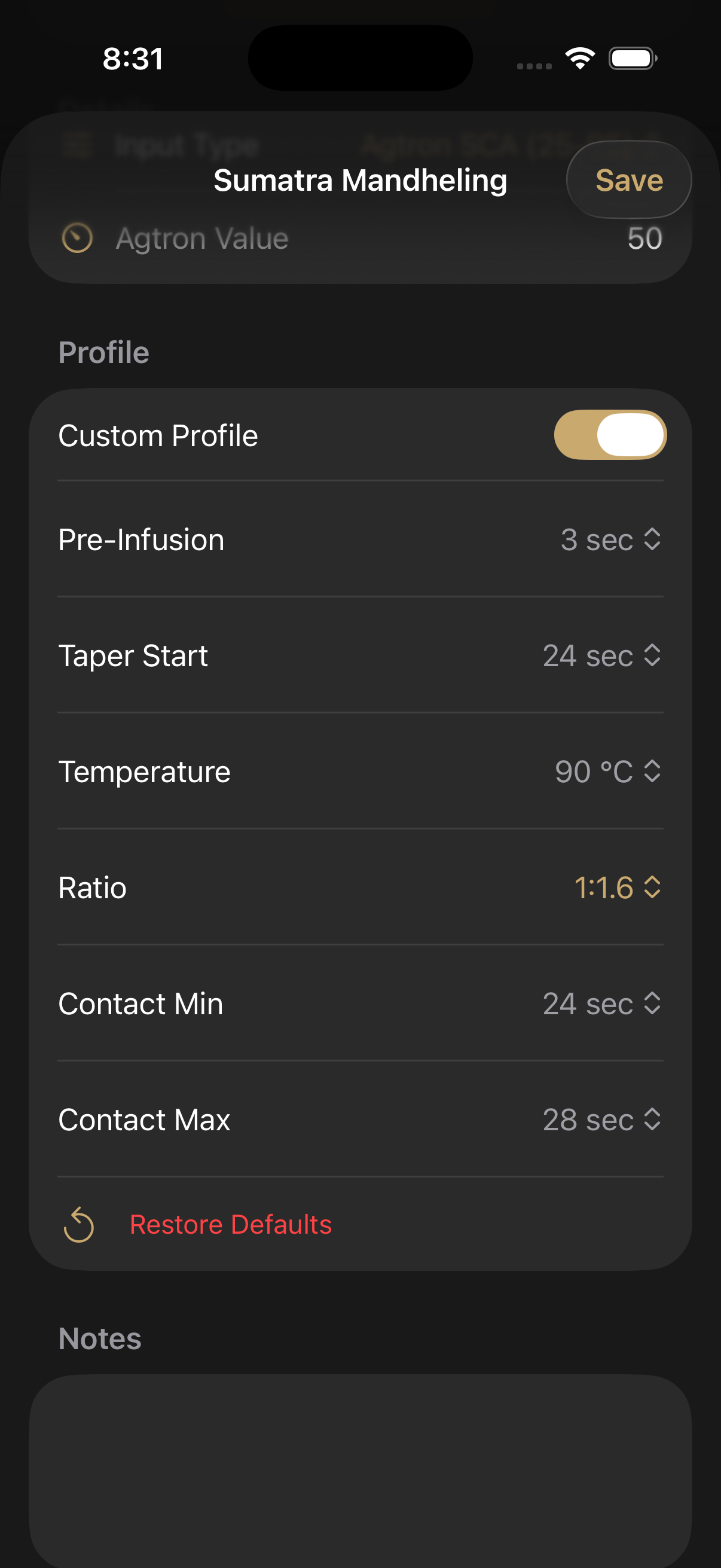
Cloud sync settings Global custom profiles Default profile per coffee

Cloud Sync & Custom Profiles

Make the app yours and keep everything in sync across your devices.

  • iCloud sync and backup keep coffees, shots and settings safe across every device
  • Customize pre-infusion, taper, temperature, ratio, contact min and max globally
  • Set a per-coffee custom profile for one-tap dial-in
Learn how →

Getting Started

From Bag to Perfect Shot

1

Add Your Coffee

Save your coffee bag with its roast level or Agtron number. Take a photo straight from the app for easy identification.

2

Look Up Your Parameters

Select your coffee from your collection or enter your roast level / Agtron value directly. The app instantly shows you recommended temperature, pre-infusion, taper, ratio, yield, and contact time.

3

Pull Your Shot

Dial in your grinder and machine settings based on the recommendations and pull your shot using the flow control parameters.

4

Log & Refine

Record what actually happened — yield, contact time, and tasting notes. Review your history to spot patterns and continuously improve.

Want the Full Walkthrough?

Every feature, every tab, every setting — explained step by step. From your first lookup to advanced shot trends and troubleshooting.

Read the How-To Guide →

Built-In Profiles

Five Roast Profiles, Dialed In

Light
Temp96–98°C
Pre-Infusion12 sec
Ratio1:3.0
Yield54 g
StyleLungo
Medium-Light
Temp93–95°C
Pre-Infusion8 sec
Ratio1:2.5
Yield45 g
StyleModern Standard
Medium
Temp91–93°C
Pre-Infusion5 sec
Ratio1:2.0
Yield36 g
StyleNormale
Medium-Dark
Temp89–91°C
Pre-Infusion3 sec
Ratio1:1.5
Yield27 g
StyleLong Ristretto
Dark
Temp85–88°C
Pre-Infusion0 sec
Ratio1:1.2
Yield21 g
StyleRistretto

Plans

Start Free, Unlock Everything

Free
$0
Forever free
  • Roast Level lookup (5 profiles)
  • Up to 2 coffee bags
  • Up to 1 grinder
  • Up to 10 shot history logs
  • TDS & extraction yield tracking
  • Taste profile tracking
  • Coffee bag photos
  • Favorite coffee selection
  • Troubleshooting guides
  • Espresso terminology glossary
  • Agtron / SCA scale lookup
  • Unlimited coffee bags
  • Unlimited grinders
  • Unlimited shot history
  • Per-coffee custom profiles
  • Global profile customization
  • Shot trend charts

Legal

Privacy Policy

Effective date: April 10, 2026

Overview

Espresso FlowCon ("the App") is an iOS application developed and operated as an independent product. Your privacy is important to us. This policy explains what information we collect, how we use it, and your rights regarding that information.

Information We Collect

The App operates primarily on-device. We collect only the minimum information needed to deliver its features:

Information We Do Not Collect

Photos and Camera Access

The App may request access to your camera or photo library so you can add photos to your coffee bag entries. These photos are stored only on your device and within any iCloud backups you have configured. We never access, upload, or process your photos on any server.

In-App Purchases & Subscriptions

Premium subscriptions are managed entirely by Apple via StoreKit. All billing, payment processing, and subscription management happen through your Apple ID. We do not store or process payment information of any kind. You can manage or cancel your subscription at any time through your device's Settings → Apple ID → Subscriptions.

Data Storage & Security

All App data is stored locally on your device using Apple's SwiftData framework and is subject to iOS system-level encryption. If you use iCloud Backup, your App data may be included in your iCloud backup; that data is governed by Apple's Privacy Policy.

Children's Privacy

The App does not knowingly collect personal information from children under the age of 13. It is not directed to children.

Changes to This Policy

We may update this Privacy Policy from time to time. If we make significant changes, we will update the effective date at the top of this page. Continued use of the App after changes are posted constitutes acceptance of the updated policy.

Contact

If you have any questions or concerns about this Privacy Policy or your data, please contact us through the App Store listing or by reaching out via the contact information provided there.

Get Help

Support

Need Help?

Having trouble with Espresso FlowCon, found a bug, or have a feature request? We'd love to hear from you. Send us an email and we'll get back to you as soon as possible.

juangarciasupport@gmail.com

From the Same Developer

More Apps by Juan Garcia

Explore All Apps

Check out my other iOS apps including ZeniClock, a beautifully designed world clock with interactive maps and home screen widgets.

View All Apps →

Legal

Terms & Conditions

Espresso FlowCon is distributed through the Apple App Store and is subject to Apple's standard terms and conditions. By downloading or using this app, you agree to the following:

If you have any questions about the terms that apply to Espresso FlowCon, please contact us at juangarciasupport@gmail.com.